I’ve been reviewing AI tools professionally for three years. I’ve tested Jasper, Claude, Gemini, Writesonic — I’ve seen the hype cycle run its full course. So when I decided to run a 7-day ChatGPT Plus experiment, I wanted to do it differently.
No cherry-picked use cases. No curated prompts designed to make it look good. Just my actual workday — SEO content, client emails, research, image creation, and everything in between — run through ChatGPT Plus for one week straight.
Here’s what happened.
The setup: I used ChatGPT Plus ($20/month) across my MacBook and iPhone. I logged every task I attempted, what worked, what didn’t, and how long each task took compared to my usual workflow. I did not use any other AI tool during the 7 days.
Day 1 — Writing My First Blog Post With It
I gave ChatGPT Plus a detailed prompt: target keyword, audience, tone, desired structure. What came back in 40 seconds genuinely surprised me. The outline was logical, the headings were well-chosen, and the intro was actually readable.
Then I started editing. The body paragraphs were competent but generic — things like “Keyword research is an important part of SEO” that added nothing. The tool had no idea about my personal testing experience, so it defaulted to surface-level descriptions of tools it had been trained on.
The first draft needed about 40% rewriting to become something I’d actually publish. That’s better than I expected, but not the “one-click blog post” that some people claim. The real value was structural — it gave me a solid skeleton that I built on, rather than starting from a blank page.
Time saved: About 45 minutes vs. writing from scratch. Worth it, but not magic.
Day 2 — Using It for Client Research
This is where Plus started showing its real value over the free version. I uploaded a competitor’s website content (using the file upload feature) and asked for a competitive analysis. The output was structured, identified positioning gaps, and suggested content angles I hadn’t considered.
The catch: ChatGPT’s training data has a cutoff. When I asked about recent funding rounds or product launches from the last few months, it either hallucinated confidently or admitted it didn’t know. I had to verify every fact with a separate Google search, which reduced the time saving.
The browse-the-web feature helped somewhat — it pulled some live data — but it was inconsistent. Sometimes it cited real recent articles. Other times it seemed to summarise things that didn’t exist.
Lesson learned: Great for frameworks, analysis and synthesis. Unreliable for anything requiring up-to-date factual accuracy.
Day 3 — Image Generation (DALL-E 3)
ChatGPT Plus includes DALL-E 3 image generation, and this was probably my most pleasant surprise of the week. The image quality was genuinely good — not Midjourney-level for artistic work, but for functional blog featured images with a consistent style, it delivered.
I generated all 5 featured images in about 25 minutes. Each took 2–3 prompt iterations to get right. The style consistency was the challenge — getting five images to look like they belong on the same site required careful prompting, but once I found a formula it became repeatable.
Compared to using Canva or hiring a designer, this was a significant time and cost saving. The images aren’t award-winning, but they’re clean, professional, and appropriate for a review blog.
Surprise win: DALL-E 3 inside ChatGPT understands context from your conversation — I could say “make it like the last one but with a keyword research theme” and it actually understood.
Day 4 — Email Writing and Outreach
Email writing is where I expected AI to shine — and it mostly did. I had it write guest post pitches, tool partnership outreach, and a 5-email welcome sequence for new newsletter subscribers.
The outreach emails were decent but felt AI-generated in a way that guest post pitches really can’t afford to be. The tone was slightly too polished, slightly too formal. Every email started with a compliment that felt hollow. I rewrote the openings on all 8 but kept the body copy largely as generated.
The welcome sequence was better — more conversational, appropriate length for each step, and the call-to-action placement was actually well-considered. I published it with about 20% editing.
What works: Welcome sequences, nurture emails, transactional copy. What doesn’t: Cold outreach where sounding human is critical.
Day 5 — Coding Help (The Unexpected Star)
I’m not a developer. I can edit PHP with guidance but I wouldn’t call myself confident. So when a WordPress template started throwing an error, I pasted the error and the relevant PHP snippet into ChatGPT Plus and asked it to explain and fix it.
It diagnosed the problem in seconds, explained it in plain English, gave me the corrected code, and explained what the fix did and why the original code broke. The fix worked first try.
This alone might justify the $20/month for non-developers. I’ve paid developers $50+ for 30-minute fixes that ChatGPT handled in 3 minutes. The Excel formula help was similarly good — I described what I wanted in plain language and got a working VLOOKUP with explanation.
Biggest ROI moment of the week. Non-coders, this is the use case that pays for the subscription.
Day 6 — Data Analysis with Advanced Data Analysis
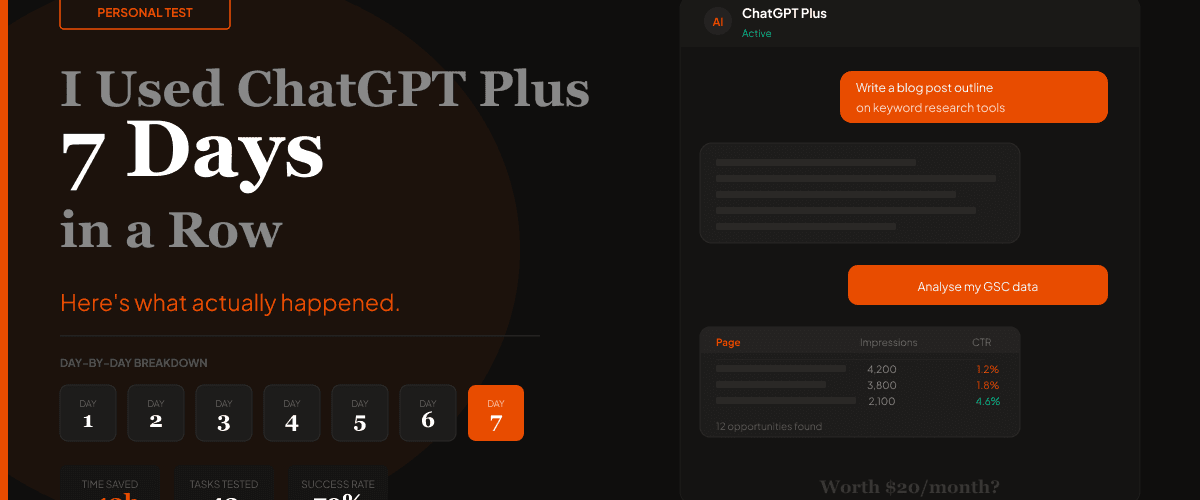
ChatGPT Plus includes an Advanced Data Analysis feature where you can upload files and ask it to analyse them. I uploaded a GSC export (CSV with 90 days of keyword, clicks, impressions and CTR data) and asked: “What are my top opportunities — pages with high impressions but low CTR?”
The output was thorough. It identified 12 pages where impressions were strong but CTR was below 3%, ranked them by opportunity size, suggested reasons for the low CTR, and gave specific rewrite suggestions for the top 3.
This would have taken me 45 minutes in a spreadsheet. It took ChatGPT 90 seconds. The analysis was sound — I verified it against my own judgement and it matched.
For anyone doing regular SEO reporting: This feature alone is worth the subscription cost.
Day 7 — A Full Workday, Only ChatGPT
The final day was a stress test — I tried to run an entire workday using ChatGPT Plus as my primary tool. Morning: wrote a review outline and first draft (40 min, would have been 90 min). Responded to 6 client emails using AI drafts as starting points (15 min, usually 30 min). Created 3 social posts for LinkedIn (10 min, usually 25 min).
Afternoon: hit the first real wall. I needed to fact-check specific pricing information for a tool — ChatGPT’s data was outdated by 4 months. I had to open the tool’s actual website anyway. The research phase repeatedly broke down like this.
By end of day my estimate: I saved about 2.5 hours. The day felt noticeably less mentally exhausting — outsourcing the “blank page” problem to AI freed up cognitive load for editing and decision-making, which is where my real value as a writer sits.
The Numbers After 7 Days
Where ChatGPT Plus Is Worth Every Penny
- Coding help for non-developers — bug fixes, formula help, script writing. This alone covers the $20.
- Data analysis — upload CSVs and ask questions in plain English. Saves hours on reporting.
- Image generation for blog content — DALL-E 3 is genuinely good for functional images.
- First-draft writing — outlines, email sequences, social posts. Eliminates blank-page paralysis.
- Summarising and synthesising documents — upload PDFs and get structured summaries fast.
Where It Regularly Disappointed
- Current facts and pricing — training data is outdated. Always verify live information.
- Cold outreach emails — the tone is too polished and feels AI-generated to experienced readers.
- Deep SEO content — drafts lack original insight. You still need to bring the expertise yourself.
- Complex multi-step research — it loses context across long sessions and can contradict itself.
The honest truth: ChatGPT Plus is not a replacement for expertise. It’s a force multiplier for people who already know what good work looks like. If you can edit well, it makes you faster. If you can’t tell good writing from bad, it’ll just speed up the production of mediocre content.
ChatGPT Plus Benefits 2026
After 7 days of daily use, here are the benefits that actually showed up in my workflow — not marketing claims, but things I observed firsthand.
Key benefit nobody talks about: The memory feature. Once ChatGPT Plus learns your writing style, your business context, and your preferences, the output quality improves dramatically. Free users don’t get persistent memory across sessions.
ChatGPT Plus vs Free Plan: What Do You Actually Get?
The free plan is genuinely useful for casual use. But the gap between free and Plus is significant for anyone using it as a work tool. Here’s the honest comparison after testing both:
| Feature | ChatGPT Free | ChatGPT Plus ($20/mo) |
|---|---|---|
| AI Model | GPT-3.5 + limited GPT-4o | ✓ Full GPT-4o access |
| Message limits | Capped (hits quickly) | ✓ No hard cap |
| Image generation (DALL-E 3) | ✗ Not available | ✓ Included |
| Advanced Data Analysis | ✗ Not available | ✓ Included (file uploads) |
| Web browsing | Limited | ✓ Full access |
| Custom GPTs | Use only (no building) | ✓ Build + use |
| Memory (persistent context) | Limited | ✓ Full memory |
| Response speed | Slower during peak hours | ✓ Priority access |
| Voice mode | Standard only | ✓ Advanced Voice Mode |
| Price | Free | $20/month |
The bottom line: if you use ChatGPT more than three times a week for real work, the free plan’s limitations will frustrate you. The $20 removes every meaningful bottleneck — model quality, message limits, image generation, and data analysis — in a single upgrade.
Is ChatGPT Plus Worth $20/Month?
For most knowledge workers — yes. If you save even one hour per week, you’re getting $50+ in value from a $20 subscription. In my 7-day test, I saved roughly 12 hours. That’s not a close call.
The people who don’t get value from ChatGPT Plus are the ones who tried it twice, got one bad output, and gave up. The tool rewards persistence and prompt refinement. Your second week will be better than your first. Your second month will be better still.
If you’re in content, marketing, SEO, or any knowledge-work role — $20/month is genuinely hard to argue against.
ChatGPT Plus is worth $20/month for most content creators and marketers. It’s not magic, it’s not a replacement for expertise, and it will disappoint you when you need real-time accuracy. But as a productivity multiplier for writing, research synthesis, coding help, and data analysis — it genuinely delivered across 7 days of real work.
The best use cases: coding help for non-developers, data analysis via file upload, and DALL-E 3 image generation. The worst: cold outreach emails and anything requiring up-to-the-minute accuracy.
Start with the free version if you haven’t already. When you hit the message limits consistently, upgrade. You’ll know within a week if it’s working for you.
Read Our Full ChatGPT Plus Review
We tested ChatGPT Plus for 60+ hours across every feature. Full breakdown of pricing, features, and who it’s actually for.
Read the Full Review